Step 1 — By the Day Before
Pre Check-in — by the Day Before
There are two steps: ① register all guests by the day before, ② check in from 16:00 on arrival day. Both are done on the same page.
Open the check-in URL from your booking email
You will receive a check-in URL by email / booking-app message.
Tap the blue [Pre Check-in] button
Until your arrival day, the blue button says [Pre Check-in].
Register every guestincluding children & infants
You're done when "Guest info completed" below the button shows everyone (e.g. 4/4). Guests from overseas need a photo of their passport (Japanese nationals do not need ID).
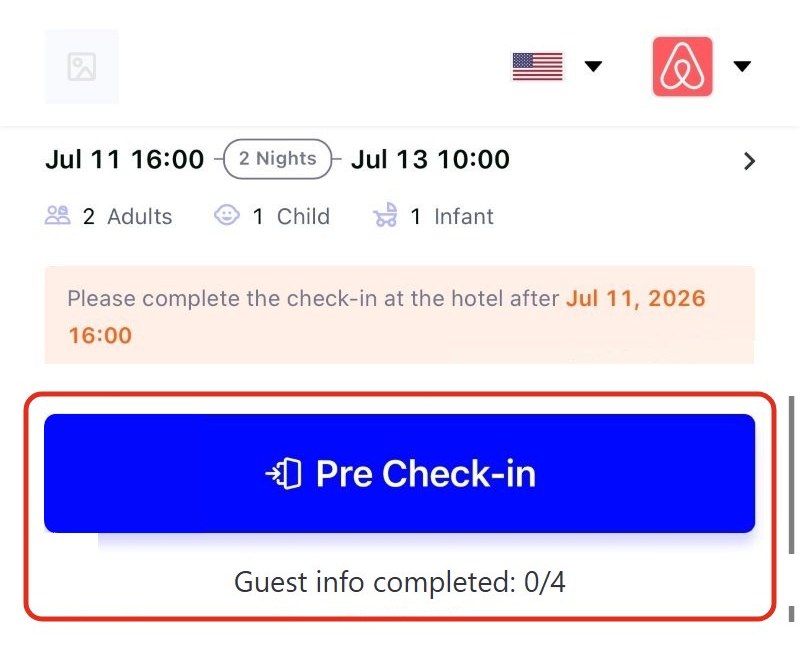
The page before your arrival day
Register the guest list from this blue [Pre Check-in] button.
Step 2 — From 16:00 on Arrival Day
From 16:00: Check-in
Tap the [Check-in] button (16:00 or later)
Confirm the guest list is correct
Only the main guest takes a selfie photo
No photos needed for the other guests.
Complete — the key box PIN code appears
The PIN is provided once your check-in is complete. You can also have it sent to you by email.
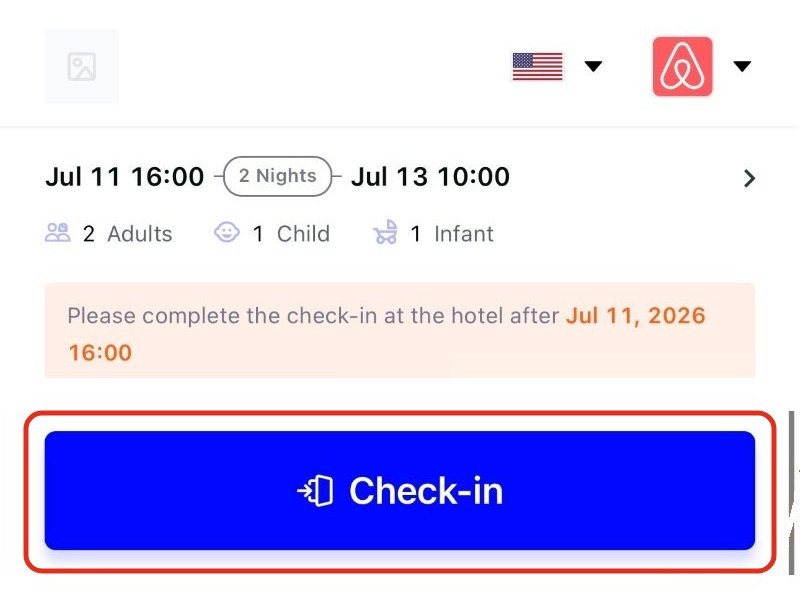
The page from 16:00 on arrival day
Once the button says [Check-in], you can complete the process.
Step 3 — At the Door
When You Arrive
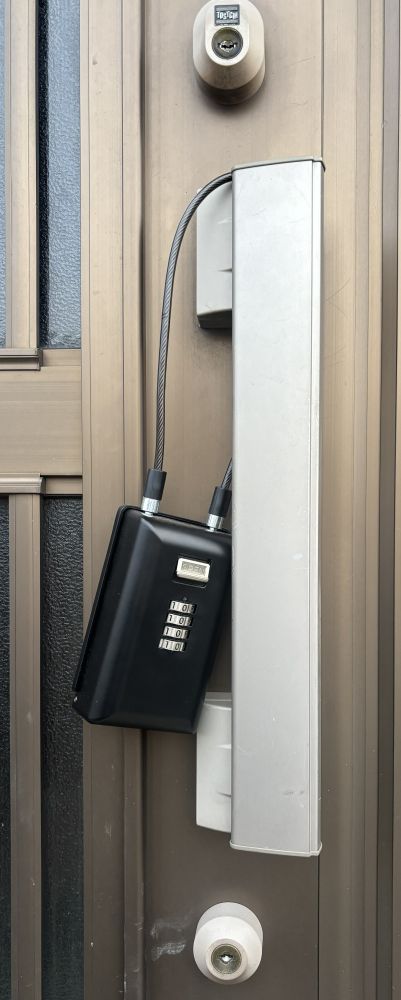
Find the key box
A black key box hangs on the front door handle.
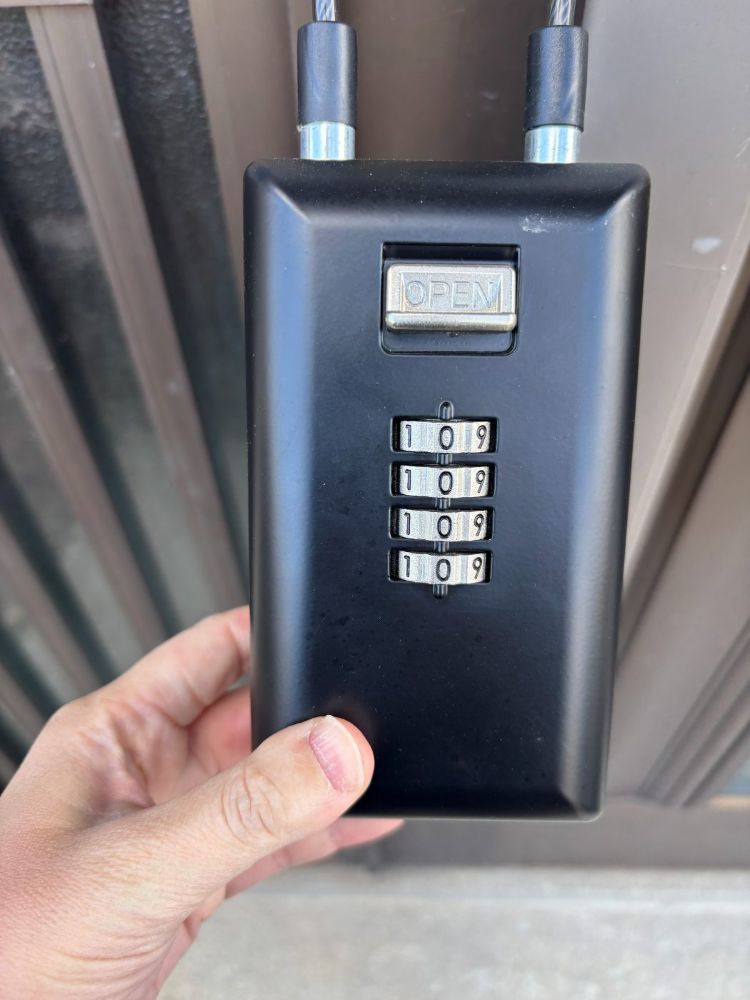
Set the dials to your PIN code
Use the 4-digit code shown after online check-in.
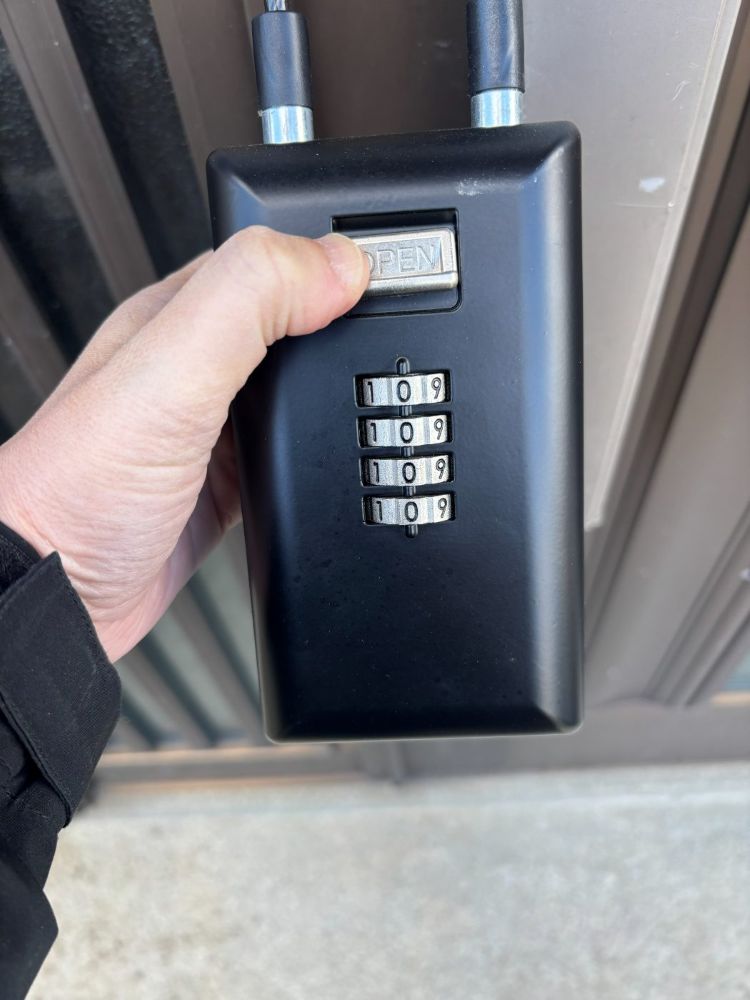
Push the "OPEN" button down
If the code is right, the lock releases.
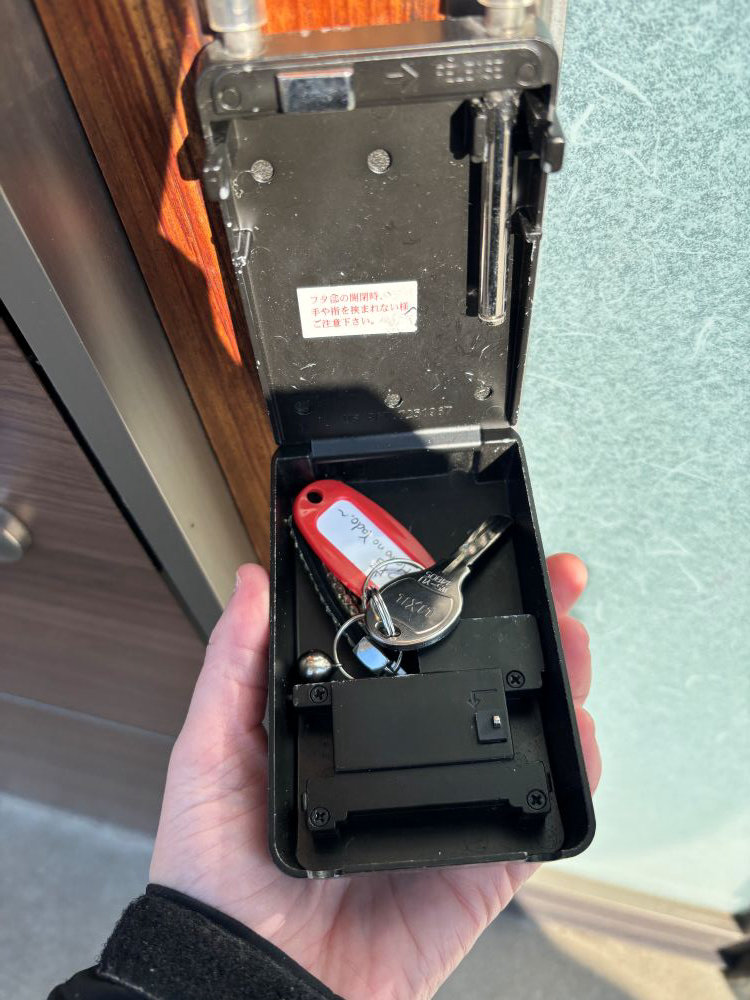
Open the lid toward you and take the key
There is only one key — please be careful not to lose it.